
The complete guide to Shopify collection page optimization
How to optimise Shopify collection pages: layout, sorting, imagery and metrics that actually matter.
By Kiera Richmond
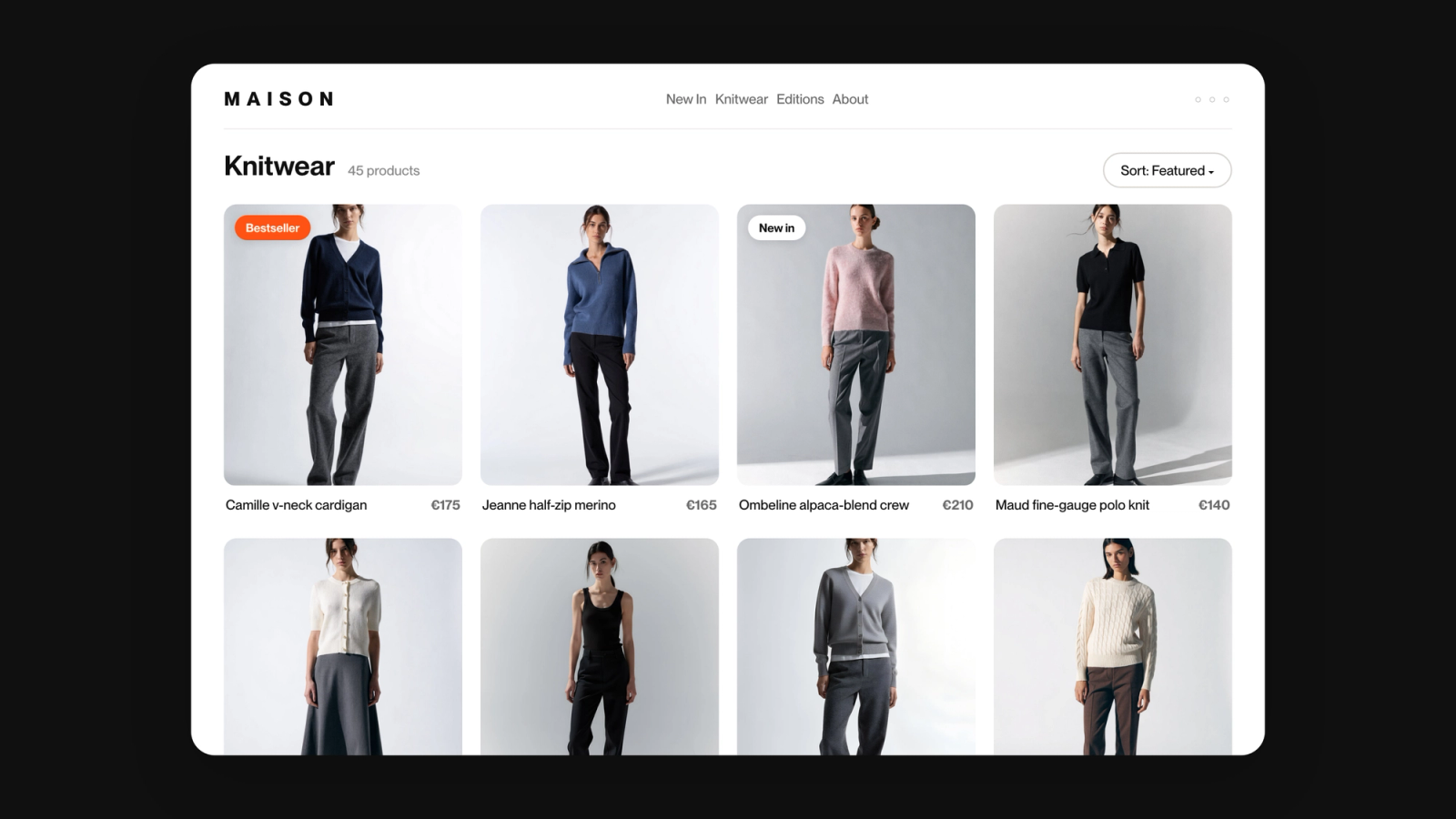
Shopify Collection Page Optimisation
Collection pages are key in the purchasing decisions. For ecommerce managers at growing brands, they are often the highest-leverage page to optimise- yet are frequently neglected in favour of homepages or PDP work. Here is what actually drives results.
Why collection pages need active optimisation
Collection page optimisation improves how products are displayed, sorted and presented within Shopify’s category pages, aiming to increase engagement, product discovery and conversion rate. It can span layout, visual merchandising, sorting logic and performance tracking.
5 Ways to optimise your Shopify collection pages
- Lead with layout and mobile performance.
Clean visual hierarchy and quick load times are non-negotiables. Currently, 60% of ecommerce sales are carried out via mobile, yet most collection pages are still designed desktop-first. Prioritise curating a responsive grid, frictionless filters and sub-2-second load times before anything else.
2. Treat product sorting as a merchandising decision
Default Shopify sorting (manual or ‘best-selling’) is a starting point, not a strategy. High-performing teams go further, using rule-based sorting to automatically surface in-stock, high margin, or seasonally-relevant products, demoting out-of-stock. Depict handles this automatically so that the logic runs in the background, whilst teams focus on the decisions that actually require human judgement, such as brand expression.
3. Let imagery drive conversion
Lifestyle imagery is a consistent outperformer of flat product shots on collection pages, especially in fashion and lifestyle. A/B test default vs hover images per collection, and consider mixing editorial-style content cards or banners to break up the grid. This frees your merchandising team to focus on what only they can decide.
4. Build for product discovery, not just search
Collection pages serve shoppers who are discovering, not just searching. Strategically pinning new arrivals, curated looks or trending items helps surface products that customers would seldom search for, and drives higher average order value.
5. Measure the right metrics
Bounce rate and dwell time are lagging indicators. Click through rate per product, scroll depth, and collection-level conversion rate are key in determining where your sorting and layout are working, and where to iterate.
Key takeaways
- Collection pages are as conversion-critical as your PDPs
- Mobile-first and fast load times are the base, not the ceiling.
- Sorting is a merchandising decision, not a default setting.
- Imagery and editorial content convert
- Dwell time and bounce rate tell less- position CTR, and collection conversion rate are where to look instead.